


Klondike Solitaire Card Game
4.9948.00 Reviews
App Specs
- Version
- 3.23.07
- Updated On
- License
- Free
- Downloads
- 500,000+
- Developer
- FelicityGames
- Categories
- Card
- Platform
- Android
Screenshots
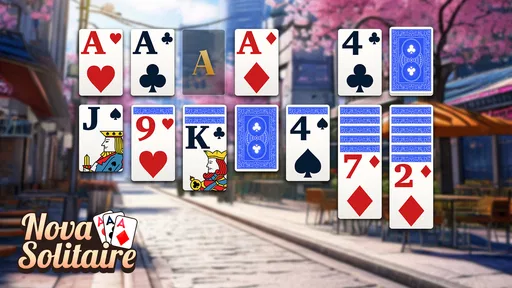
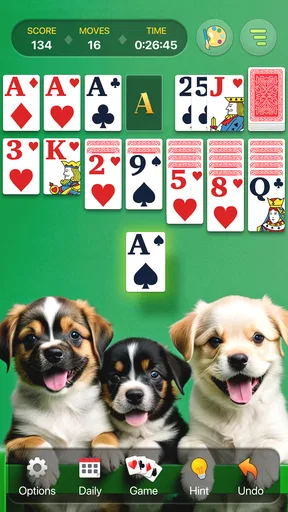
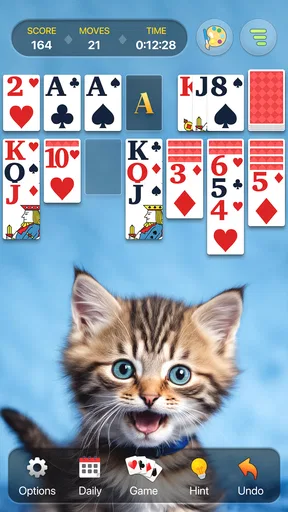
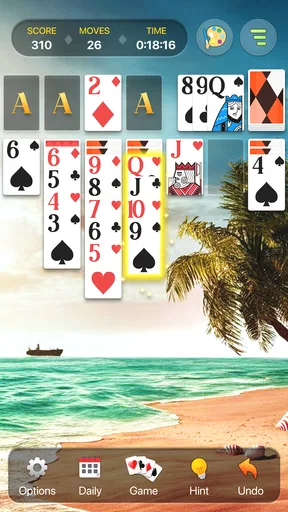
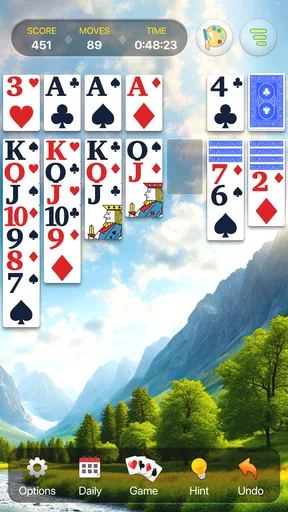
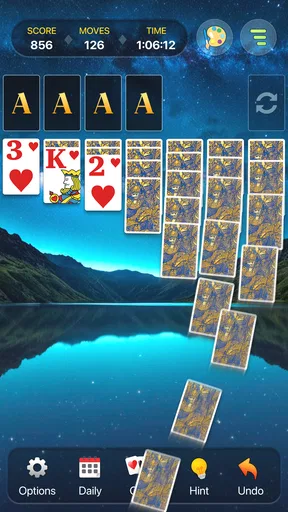
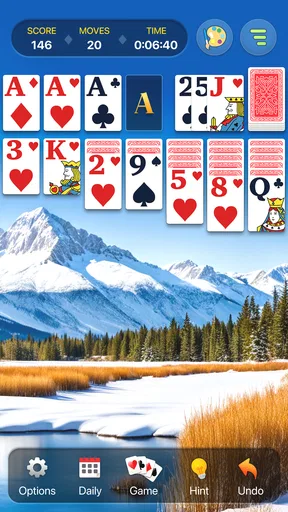
 Analysis by AppCompare
I treat a phone solitaire game as a small pocket-sized break, not a hobby that needs a long setup. Klondike Solitaire Card Game fits that role best when I want a familiar layout, readable cards, and a puzzle I can pause mentally whenever real life interrupts. Its straightforward approach is part of the appeal, though players looking for deep strategy systems or a strong competitive layer may find it deliberately simple.
A familiar routine that gets out of the way
My basic routine is the same one I use with a physical deck: scan the face-up cards, check what can move to the foundations, then look for tableau moves that uncover hidden cards. The app’s drag-and-drop controls make those decisions feel direct rather than fiddly. When I have only a few minutes, I can start a round quickly and focus on the board instead of learning a complicated menu system.
That simplicity is useful in ordinary situations. I might open it while waiting for an appointment, play a few turns during a quiet break, then put the phone away without needing to remember a story or manage a team. Because solitaire is turn-based, it also suits interruptions better than games that expect continuous attention. I can think through a move, stop, and return when I have another moment.
Settings and habits that improve a session
The original review mentions changing the background and card backs. I’d treat those options as practical choices, not just decoration: pick a contrast that makes suits and ranks easy to distinguish, especially if you tend to play on a small screen or in bright surroundings. A calmer background can also make it easier to scan the tableau without your eyes drifting to visual detail that does not matter to the puzzle.
Before settling into a longer session, I would check the available settings and make the board comfortable for my eyes and hands. The exact arrangement of options can vary by version, so I would avoid assuming every control is in the same place. The useful principle is simple: adjust what the game actually offers, then leave it alone unless the current setup makes cards harder to read or move.
Faster play without rushing decisions
For a more consistent game, I use a repeatable scan instead of tapping whichever card first catches my attention. I check for an immediate foundation move, look for a tableau move that reveals a face-down card, and only then consider rearranging exposed cards. This keeps me from making a tidy-looking move that blocks a more useful sequence. When two choices seem equally good, revealing a hidden card is often the more informative option.
Hints are helpful when I have overlooked a legal move, but I do not treat them as a strategy guide. A hint can point out what is available; it does not necessarily explain which move best preserves future options. I use it after scanning the board myself, then decide whether the suggested move supports my goal. That habit keeps the game from becoming a sequence of automatic prompts.
Worth Reading Before You Choose

EA SPORTS FC Mobile 26 Is a Bigger Football Game, but It Takes Time

Flipboard Shows What News Apps Must Do Beyond the Feed

Switching to Android Auto Means Rethinking Your Driving Routine

Google Calendar Makes a Crowded Week Easier to Manage

Ludo King Makes the Most of the Minutes Between Plans

Baby Panda World Brings Quick Play to Modern Phones, but Its Game Library Feels Busy
The auto-complete feature is most useful once the remaining play is routine and the outcome is essentially settled. I prefer to make the important choices myself while face-down cards or meaningful alternatives remain, then let auto-complete save taps near the finish. It is a small workflow change, but it preserves the satisfying part of solving a layout without requiring every final foundation move to be manual.
Where this version fits among solitaire choices
FelicityGames’ card game is free to start, rated for Everyone, and has a 4.9 average from around 24,000 ratings, with over 500,000 installs. It was released on May 2, 2024, and version 3.22.3 requires Android 10 or later. In-app purchases range from $0.49 to $99.99 per item, so I would check the purchase screen carefully before buying anything. The developer’s focus here is a familiar Klondike experience rather than a broad collection of unrelated game genres.
Compared with a physical deck, the app handles shuffling, card movement, and the layout for me, which is convenient when I am away from a table. Compared with solitaire apps that emphasize many variants, daily challenges, or social competition, this one is better approached as a straightforward Klondike option. The store description calls attention to larger cards and play for adults and seniors; that emphasis makes legibility an important part of its identity, though personal comfort still depends on the device and chosen appearance.
Trade-offs to keep in mind
A clean, focused game is not automatically the right match for everyone. If I want a campaign, a changing objective, or multiplayer interaction, Klondike’s familiar solo loop will not provide that kind of variety. Replaying the same core puzzle format can be relaxing, but it can also feel repetitive when I am in the mood for something more social or mechanically different.
Offline play is a practical advantage for travel or unreliable connections, but it does not change the nature of the game: I am still playing a solo card puzzle. Likewise, the original review describes an ad-free option, but that should not be confused with every purchase being necessary. The game is free to begin, and I would make a purchase only if the specific option shown in the app solves a problem I actually have, such as wanting fewer interruptions.
One useful boundary is to avoid treating every loss as a mistake. Some layouts can leave me with no productive move, and a hint cannot turn an unavailable path into a guaranteed win. When a board stalls, I can review whether I missed a reveal or a useful sequence, but sometimes the sensible choice is to start another round rather than spend a long time forcing progress.
Who will enjoy it, and who may prefer another game
I would recommend it to someone who already likes Klondike, wants cards that are easy to see, and values quick access to a familiar solo game. It can also suit a player returning to solitaire after years away: the rules are recognizable, and hints offer a nudge when the board becomes hard to read strategically. For a short everyday break, I find that combination more useful than a stack of extra modes I may never open.
I would point a player toward another option if they specifically want a large range of solitaire formats, head-to-head play, a daily progression system, or a more elaborate reward structure. Those are different priorities, not flaws in Klondike itself. Before installing, it is worth checking that the device runs Android 10 or later; iOS users should check the version available for their device rather than assume the Android requirements apply to them.
Why Klondike Solitaire Still Rocks
So, let's dive into what makes Klondike Solitaire Card Game a must-have on your device. First off, the nostalgia factor is huge. Remember those days sitting at your computer, procrastinating on school projects or work assignments, just flipping cards and trying to clear the board? Well, this app brings all those memories flooding back, but with a modern twist.
Sleek Design and User Experience
The first thing you'll notice is the app's sleek design. It's got a minimalist feel that doesn't bombard you with unnecessary graphics or ads. The interface is clean, making it super easy to navigate. You can jump straight into a game without having to click through a ton of menus, which is a big plus in my book. The cards are crisp and clear, and the animations are smooth, which is essential for a good playing experience.
Game Modes and Features
Now, let's talk about gameplay. The app offers multiple game modes, including the classic Klondike and even some variations if you’re feeling adventurous. The hint system is a lifesaver for those tricky moments when you're stuck and can't see the next move. And for the competitive souls out there, the app tracks your stats. You can see how many games you've won, your win percentage, and even your fastest times. It’s a great way to challenge yourself and keep improving.
Customization Galore
One of the coolest things about this app is the level of customization it offers. You can change the background and card backs to suit your mood. Feeling a bit regal? Go for the classic green felt. Want something more vibrant? There are plenty of colorful options to pick from. It’s these little touches that make the game feel personal and keep things fresh.
Offline Playability
Another feature worth mentioning is that you can play this game offline. So, whether you're on a plane, in a remote area, or just trying to save on data, you can enjoy your solitaire fix anytime, anywhere. It's a simple feature, but incredibly handy.
Ad-Free Version
Let’s be real, ads can be a bit of a buzzkill. Fortunately, the app offers an ad-free version for a small fee. It's worth considering if you want a seamless experience without interruptions. The free version isn't overloaded with ads, but having the option to eliminate them entirely is a nice touch.
Intuitive Controls
The controls are intuitive and easy to master. You can drag and drop cards with ease, and the auto-complete feature is a game-changer when you’re nearing the end of a game. It saves those extra taps and lets you savor the victory moment a bit quicker.
In conclusion, Klondike Solitaire Card Game is a gem for anyone who loves a classic card game. Its user-friendly interface, customization options, and offline capabilities make it a standout choice. Whether you're playing to pass the time or aiming for that high score, this app has you covered. So go ahead, give it a download, and let’s see how many games you can win!
Happy gaming!
Pros
- Classic gameplay with intuitive controls.
- Smooth animations enhance the experience.
- Offline mode available for uninterrupted play.
- Customizable card backs and backgrounds.
- Quick and responsive app performance.
Cons
- Ads can be intrusive between games.
- Limited customization options for themes.
- No multiplayer or online leaderboards.
- Occasional crashes on older devices.
- Lacks advanced statistics tracking.
FAQs for Klondike Solitaire Card Game
What features does the Klondike Solitaire Card Game offer?
The Klondike Solitaire Card Game offers classic gameplay with a modern twist. It includes customizable backgrounds, card faces, and hints for beginners. You can track your stats, compete with others on leaderboards, and enjoy daily challenges. The game is designed to be intuitive and user-friendly, perfect for both casual and seasoned players.
Is the Klondike Solitaire Card Game free to play?
Yes, the Klondike Solitaire Card Game is free to download and play. However, it may offer in-app purchases for additional features like ad removal or exclusive themes. These purchases are optional and enhance the overall experience, but the core gameplay remains fully accessible without any cost.
Does the game require an internet connection to play?
The Klondike Solitaire Card Game can be played offline, making it perfect for on-the-go gaming without worrying about data usage. However, an internet connection is required to access certain features like leaderboards, daily challenges, and updates. Offline play ensures you can enjoy the game anywhere, anytime.
Are there any ads in the Klondike Solitaire Card Game?
The game includes advertisements, which help keep it free for users. Ads typically appear between games or on the main menu. While they can be a minor interruption, players have the option to remove them through a one-time in-app purchase, enhancing the overall user experience.
What are the system requirements for the Klondike Solitaire Card Game?
The Klondike Solitaire Card Game is compatible with most modern Android and iOS devices. For Android, it requires version 4.4 or higher, and for iOS, version 9.0 or later. The game is optimized to run smoothly on smartphones and tablets, ensuring a seamless gaming experience across various devices.


